Export a WhatsApp chat to PDF on your iPhone, printable and with statistics
Chat Export Studio: PDF opens the .txt or .zip that WhatsApp’s Export Chat produces and turns it into a clean, paginated PDF that looks like the conversation did on screen: one bubble per message with sender, date and time, colours per participant in group chats. It also shows instant statistics: total messages and words, messages per person, busiest hour, date range and top emoji. The chat is parsed on your iPhone only, nothing is uploaded, and it is a one-time $4.99 purchase.
 Google Play: Android version in progress
- Price
- $4.99 once. No subscription
- Input
- WhatsApp Export Chat: .txt or .zip, iPhone or Android, 12 h or 24 h times
- Output
- Paginated PDF + statistics
- Privacy
- Parsed on-device, no upload, no account
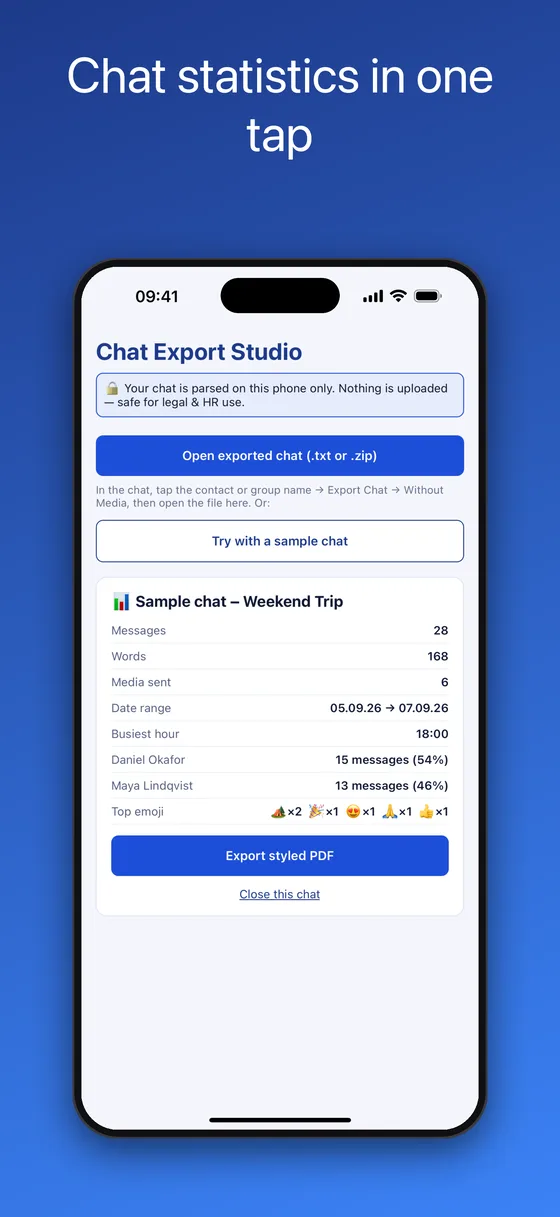
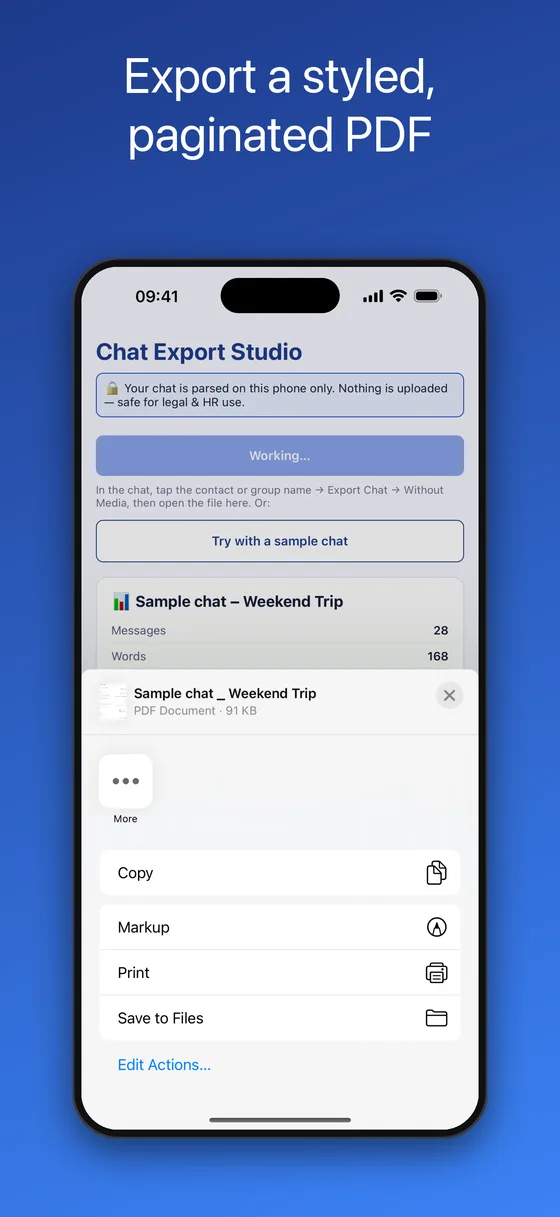
What you get: statistics in one tap and a styled, paginated PDF
How to export a WhatsApp chat to PDF on iPhone
WhatsApp can export a chat, but only as a .txt file inside a .zip, which is hard to read and impossible to print nicely. This turns that export into a PDF in under a minute.
- Export the chat from WhatsAppOpen the chat, tap the contact or group name at the top, scroll down and tap Export Chat, then choose Without Media. WhatsApp creates a .zip containing the .txt transcript.
- Send the export to Chat Export StudioIn the share sheet that appears, pick “Copy to Chat Export”. Or save the file to Files and open it from inside the app with Open exported chat (.txt or .zip).
- Check the statisticsThe app parses the file on the phone and shows message and word counts, messages per participant with percentages, busiest hour, date range, media count and the most-used emoji.
- Tap Export styled PDFA paginated PDF is generated on the device and the iOS share sheet opens. Save it to Files, print it with AirPrint, AirDrop it to a Mac, or attach it to an email.
What is in the PDF
💬One bubble per message
Sender, date and time on every message. One-to-one chats are laid out left and right; group chats get a colour per participant, so it reads like the conversation did on screen.
📄Clean pagination
Pages break between messages, never through them, so a long chat stays readable when printed or scrolled.
🏷️Tidy system notices
Encryption notices, joins, leaves and “N media files omitted” markers are rendered as small pills instead of clutter.
📊Instant statistics
Who sends the most messages, the busiest hour of the day, total words, the date range and the top emoji, all computed the moment the file opens.
🔒Parsed on your phone only
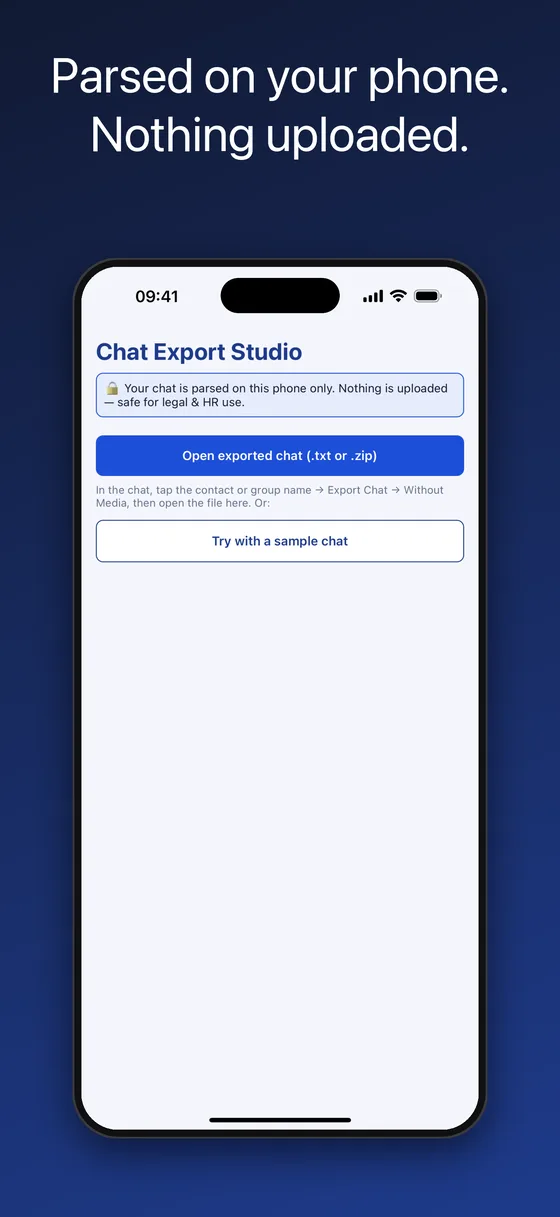
There is no server and no account. A confidential conversation never leaves the device, and the app works in airplane mode.
🧪Sample chat included
Try the whole flow with a built-in sample before exporting one of your own chats.
Questions this app answers
How do I convert a WhatsApp .txt export to PDF?
Open the .txt (or the .zip that contains it) in Chat Export Studio and tap Export styled PDF. The app understands both the iPhone and the Android export formats, with 12-hour or 24-hour timestamps.
How can I print a WhatsApp conversation?
Export the chat to a PDF with the app, then print it from the share sheet using AirPrint, or save it to Files and print from a computer. Messages are paginated cleanly so the printout is readable.
How do I save a WhatsApp chat as a PDF before deleting it?
Export it Without Media, open the export in the app, and save the PDF to Files or iCloud Drive. Keep the original .zip alongside the PDF as the raw record.
Who texts more in our chat? Is there a WhatsApp chat analyzer for iPhone?
Yes. The statistics view shows messages per participant as counts and percentages, plus busiest hour and top emoji, without sending the chat to any website.
Can I keep a record of a conversation for HR, a landlord or an insurer?
You can produce a clean, readable PDF of the exported chat on your own phone and keep it together with the original export file. Whether a particular record is accepted depends on who is asking and on local rules; the app makes the document, not the legal judgement.
Chat Export Studio vs raw .txt exports and online “WhatsApp to PDF” sites
The raw export is a wall of text. Online converters make it prettier but require uploading a private conversation. On-device conversion gives you the readable PDF without the upload.
| Chat Export Studio: PDF | Raw WhatsApp export (.txt) | Online chat-to-PDF websites | |
|---|---|---|---|
| Readable message bubbles | ✓ Yes, with sender, date and time | ✗ Plain lines of text | ✓ Usually |
| Clean pagination for printing | ✓ Yes | ✗ No | Varies |
| Statistics (who talks most, busiest hour) | ✓ Built in | ✗ No | Sometimes, after upload |
| Conversation stays on your phone | ✓ Never leaves the device | ✓ Yes | ✗ Uploaded to their server |
| Works offline | ✓ Yes | ✓ Yes | ✗ No |
| Price | $4.99 once | Free | Free with ads, or paid |
Frequently asked questions
Which export does the app need?
The standard WhatsApp export: in the chat, tap the contact or group name, then Export Chat → Without Media. Both the .zip and the .txt inside it are accepted. Screenshots, copied text and PDFs from other tools are not exports.
Does it include photos, voice notes or videos?
Version 1.0 renders the text and marks media as “N media files omitted”, matching a Without Media export. Rendering images from a With Media export is planned.
Does it work with Android exports?
Yes. Android and iPhone use slightly different date and bracket formats, and both are supported, in 12-hour and 24-hour time.
Is the chat uploaded anywhere?
No. Parsing and PDF generation run on the iPhone. The app makes no network requests and works with airplane mode on.
Can the PDF be used as evidence?
The PDF reproduces the export faithfully and is generated without any cloud processing, but whether a document is accepted depends on the organisation or jurisdiction involved. Keep the original .zip or .txt export next to the PDF, and ask the person or body requesting the record what format they need.
How long a chat can it handle?
Chats with tens of thousands of messages work; PDF generation takes longer for very long chats. Statistics appear almost instantly.
Can I export more than one chat?
Yes. Tap Close this chat and open the next export. There is no limit.
Is there a subscription?
No. Chat Export Studio: PDF is a one-time purchase of $4.99.
Is there an Android version?
Not yet. The iPhone app is available now; an Android build is in progress and this page will link to Google Play when it is live.
Is this an official WhatsApp app?
No. Chat Export Studio: PDF is an independent utility and is not affiliated with, endorsed by or connected to WhatsApp LLC or Meta Platforms, Inc. It reads the standard export files that the chat app produces.
Step-by-step guides
More on-device apps for chat exports and voice notes
Chat Export Studio: PDF is an independent utility. It is not affiliated with, endorsed by, sponsored by, or in any way officially connected with WhatsApp LLC or Meta Platforms, Inc. WhatsApp is a registered trademark of Meta Platforms, Inc. The app reads the standard chat export files and generates the PDF on the device.